BodyMap VR: Medical Imaging Feature
Shipped
VR Design
EdTech
Helping medical students understand anatomy spatially through immersive imaging

Designed a medical imaging feature for BodyMap, a VR anatomy platform — integrating radiographic images with interactive 3D models so students build spatial anatomical understanding. Shipped in early 2023, driving measurable gains in engagement and adoption.
Take a look of video demo: the Medical Imaging feature begins at 00:47. From 00:47 to the end, the video shows features I designed for BodyMap VR!
Role
IA, wireframing, prototyping, in-headset testing
Team
2 Designers, 1 VR developer
Duration
2 months (Oct - Dec 2022)
Scope
VR Design
Medical students struggled to connect 2D images into spatial anatomical understanding
Medical students face a persistent cognitive gap: textbook illustrations are flat, but the human body is spatial. Without tools that bridge that gap, students memorize structures without ever gaining practical, clinical understanding.
10%+
Increase in reseller interest after feature release
15%
Increase in engagement during VR study sessions
5+ schools
Adopted the tablet version, incl. Taiwan high schools
One question reframed the entire design direction
"When and how do users prefer to view medical images alongside a 3D model?"
Medical Expert
“I usually compare the anatomy book with the cadaver by sections to understand the relative positions of the organs.”
Anatomy Student
“I rely on illustrations in anatomy books to understand regional anatomy, like the carpal tunnel, when studying cadavers.”
Key Finding
Learners don't study anatomy by isolated organs — they think regionally, by body area and cross-section.
Users think in regions, not parts
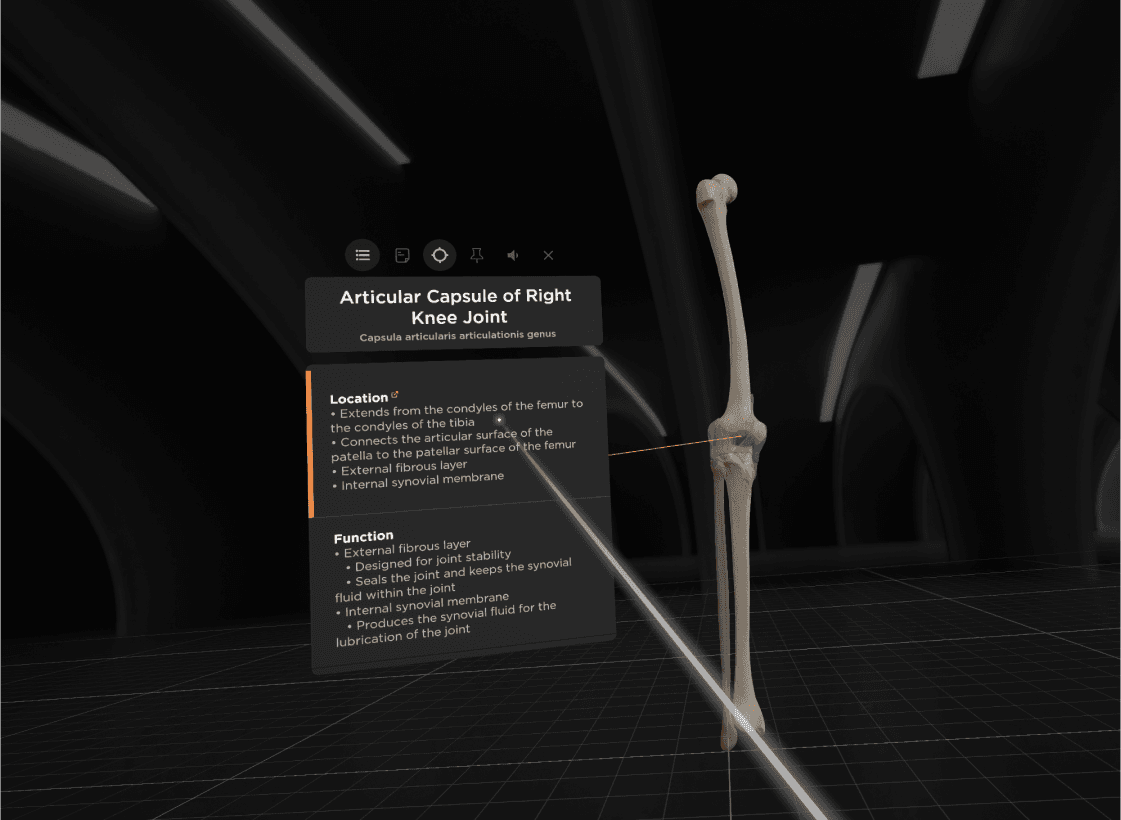
Flashcards Menu ✗
too narrow, no spatial relationships
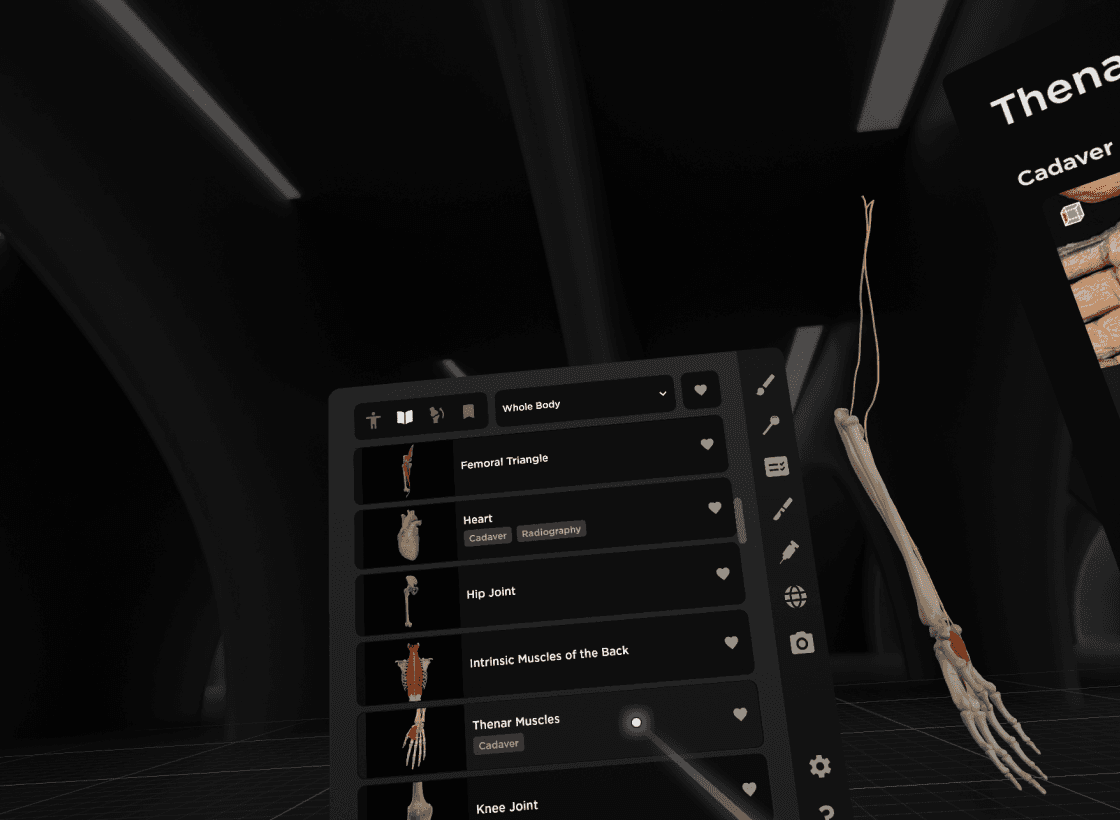
Library Menu ✓
organized by region & modality
Comparing flashcard vs. library menu integration for medical image access in VR
From floating cards to a focused, image-first MVP
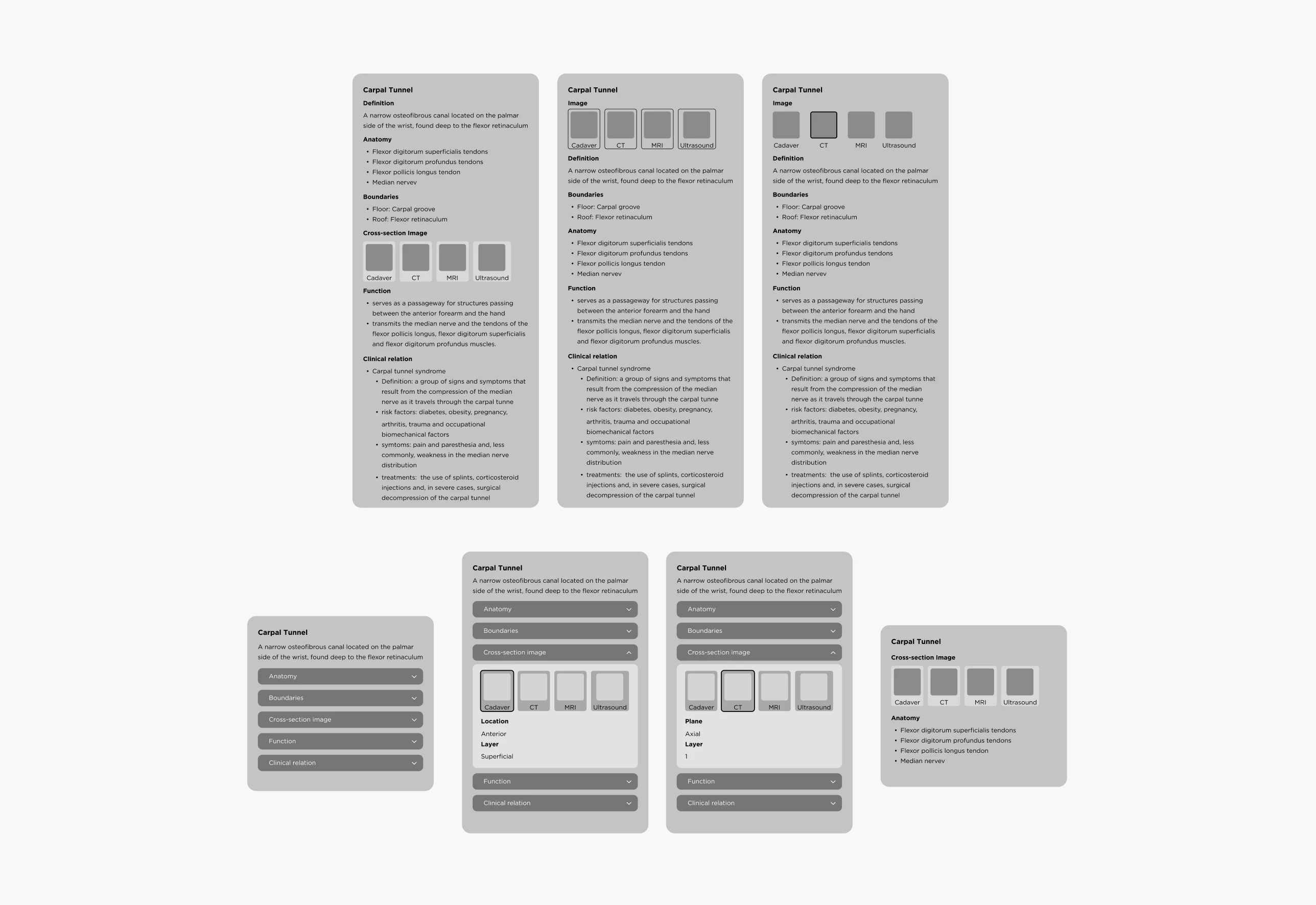
Wireframes
Organizing Medical Images for Spatial Learning
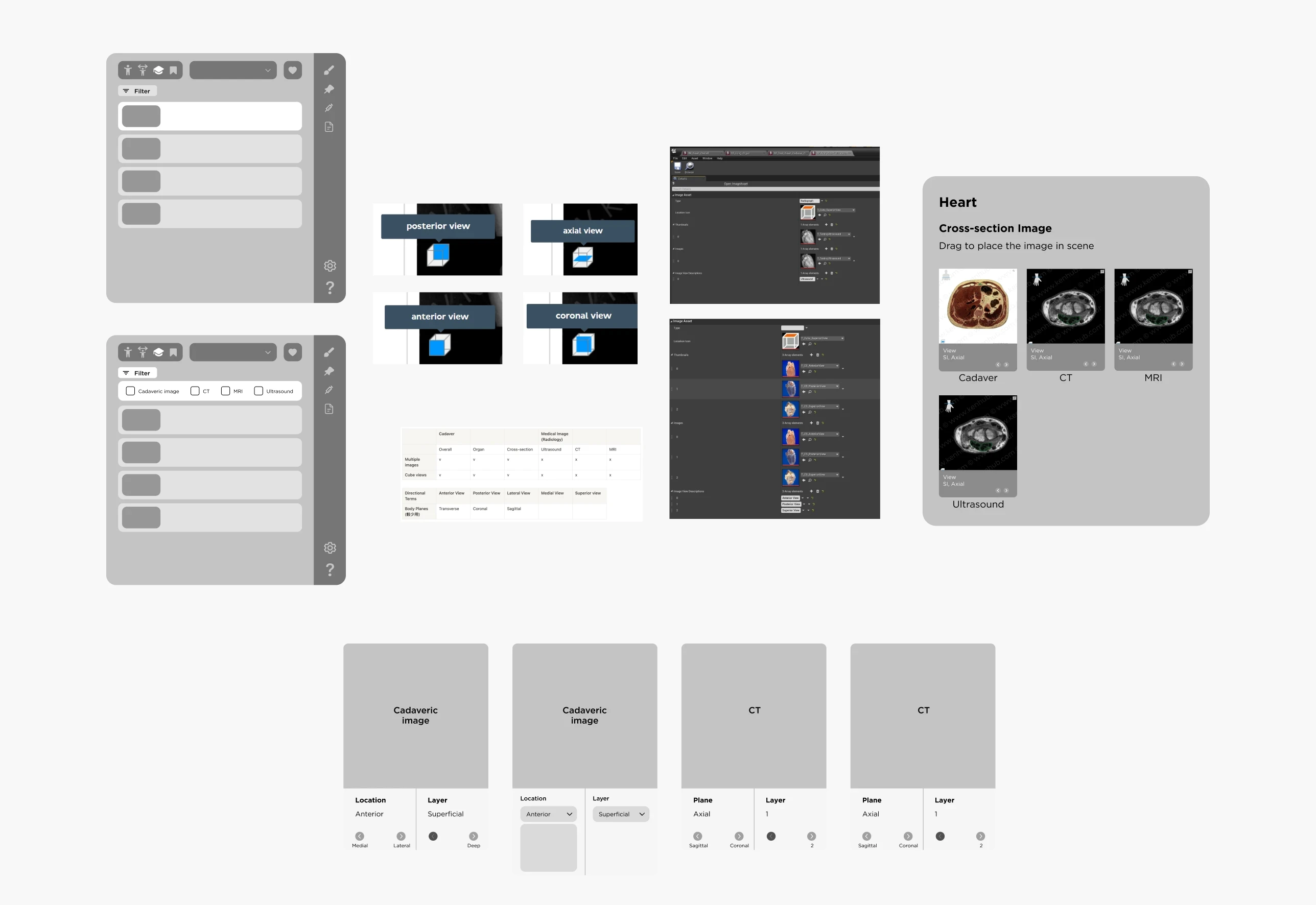
Wireframes
Built in Unreal Engine, tested in-headset

In-headset prototype testing in Unreal Engine to refine spatial layout and interaction usability
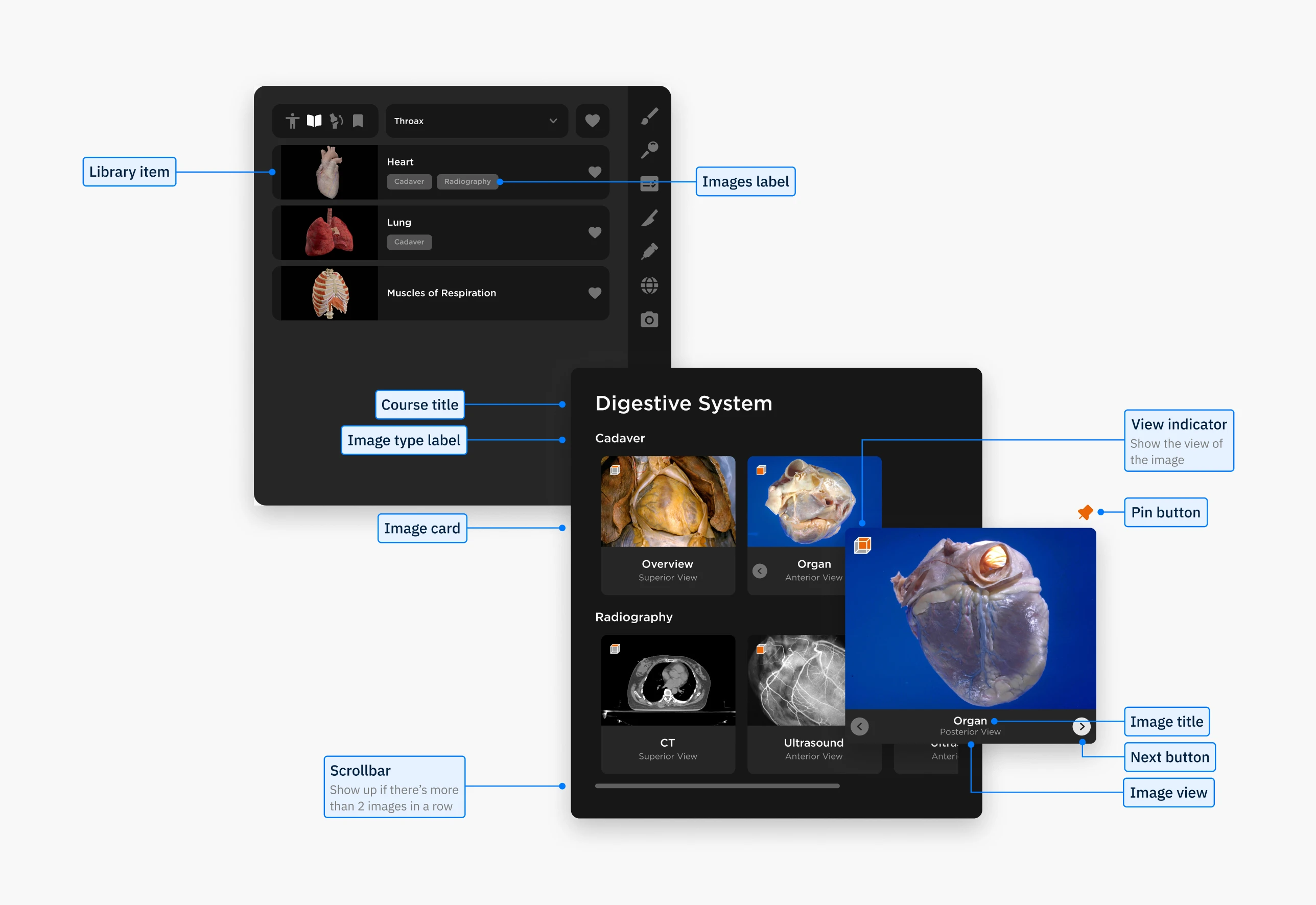
Final BodyMap VR interface showing library menu and main medical imaging panel
Designing for VR taught me how fundamentally different immersive interfaces are from traditional 2D design. I had to think about 360° environments, which open up more possibilities, but also add complexity.
One key challenge was no established UI guidelines for VR. We built our own, testing directly in Unreal and scaling elements in Figma to ensure they worked in 3D space. I also realized that accessibility in VR is still underexplored: something I plan to prioritize more in future projects.
Another takeaway was the importance of bridging communication styles across disciplines. Using visual tools like annotated flows and diagrams helped align developers and stakeholders and made collaboration much smoother.
About the Team
Big thanks to the team!
Guidance from Lili Huang and collaboration with Angel Chang shaped this project into what it became.
Lili provided direction and feedback while giving us space to brainstorm and explore. Angel’s psychology knowledge and systems thinking helped keep the features grounded.
Special thanks to Crystal Chen and Lukáš Vilím for supporting UX writing and bringing the design to life in VR!