MAI Portal Design System
Shipped
Design Systems
EdTech
UX Design
Scaling B2B Medical Education: Building the MAI Portal Design System from 0→1
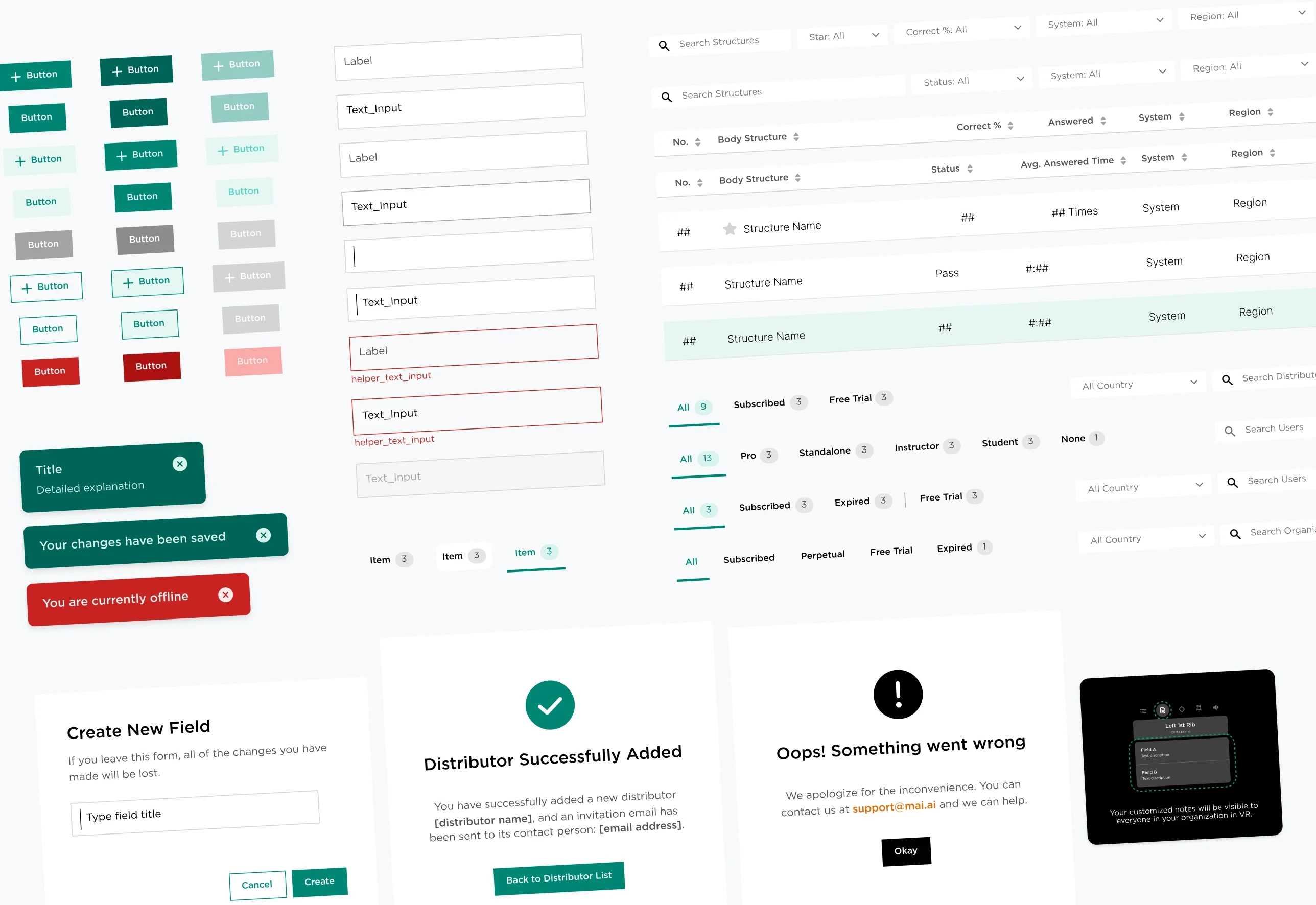
I built MAI's first unified design system for a B2B medical education portal. By establishing style foundations, an atomic component library, usage guidelines, and full dev handoff, we reduced feature delivery time by 28%.
Role
UI & Visual System Designer
Timeline
Team
⎯ ✾ ❀ ✽ ⎯
The Problem
Features shipped before any shared standards existed
As MAI Portal evolved from a single admin tool into a broader enterprise ecosystem—adding VR classroom management, subscriber licensing tools, and role-based workflows—features were shipped in parallel without shared visual standards.
The Solution
A unified design system
A unified design system, including atomic component library, usage guidelines, and Figma UI kit, built as a single source of truth across all portal modules.
⎯ ✾ ❀ ✽ ⎯
Color Direction
Defined the Portal’s color direction from MAI’s brand palette
MAI's consumer VR palette skewed warm. For the B2B portal — used by admins, distributors, and institutions — we needed something more structured. Cyan became the primary anchor.
We tested brand colors across portal UI touchpoints before committing. Warm tones read as consumer-facing; cyan held authority at data-dense scales.
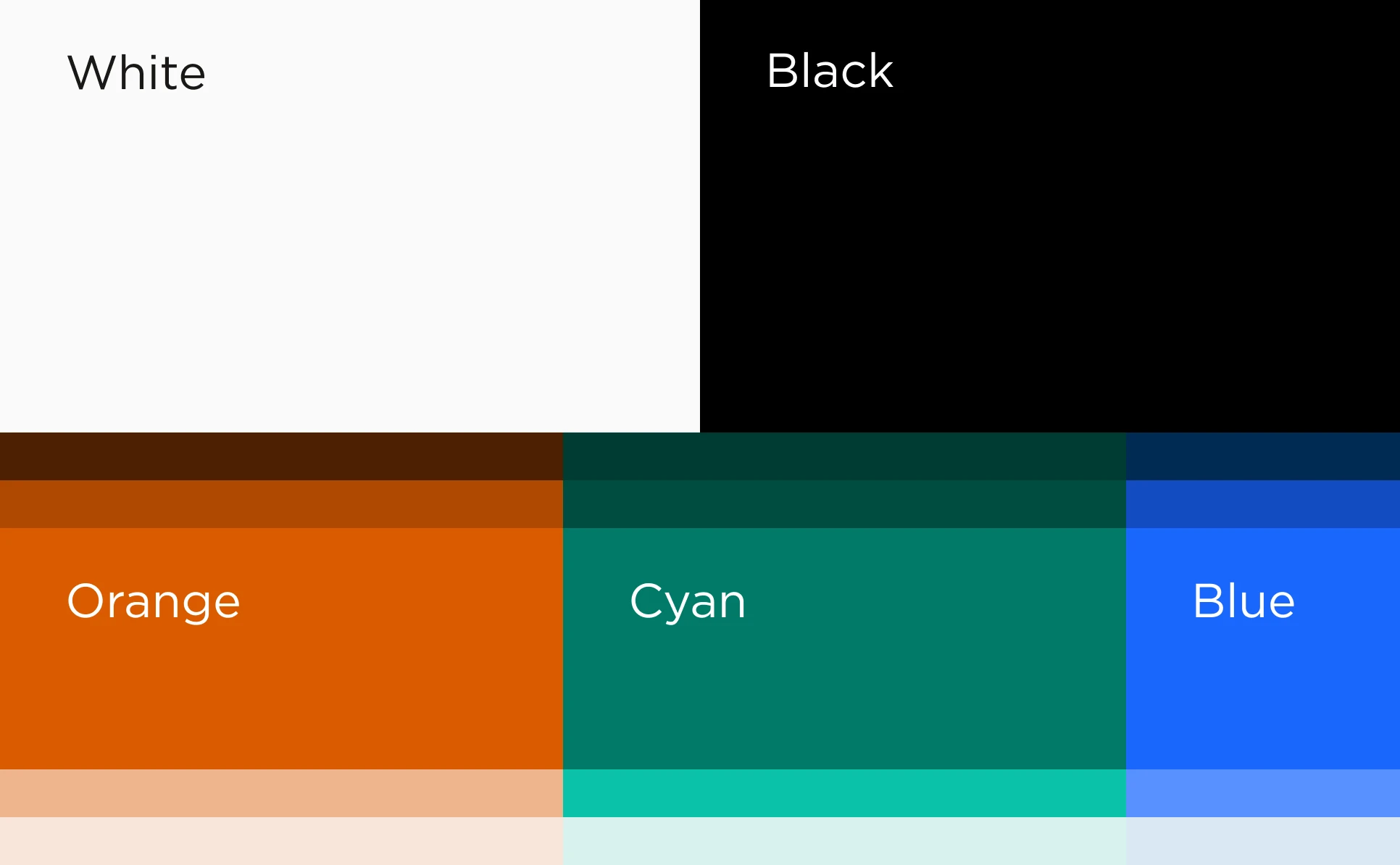
Defined the Portal’s core color direction from MAI’s brand palette
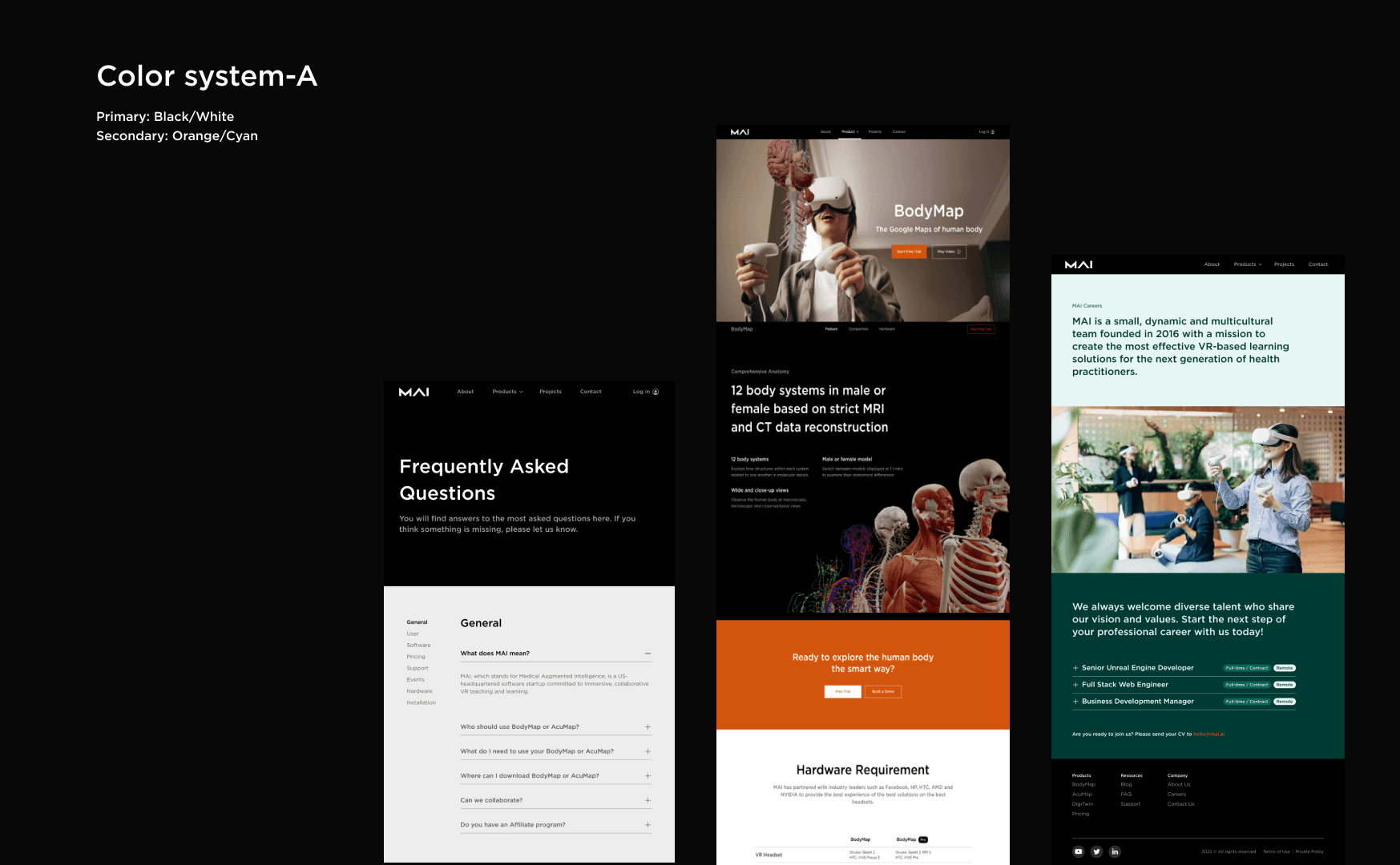
Tested MAI brand colors across digital touchpoints before defining the Portal direction
IA & User Flows
Role-based navigation show only what each user needs
The portal serves four distinct role groups, each with different access levels across organizational and personal plans. Early flows surfaced everything to everyone. We mapped each role's core tasks and built a modular sidebar that scopes navigation to exactly what each user needs.
When early wireframes felt too dense, we restructured task lists into sequential steps to reduce complexity and improve navigation consistency.
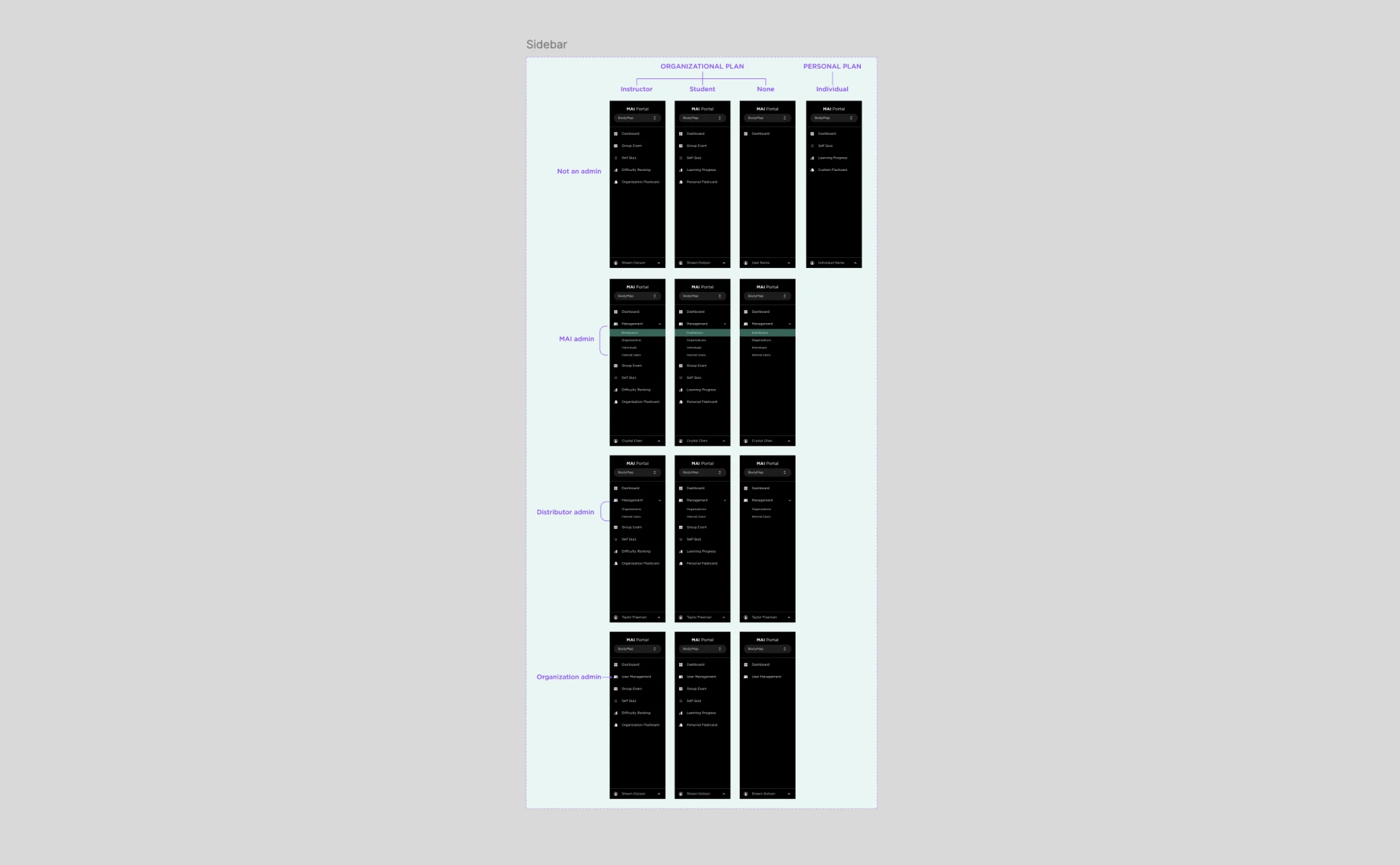
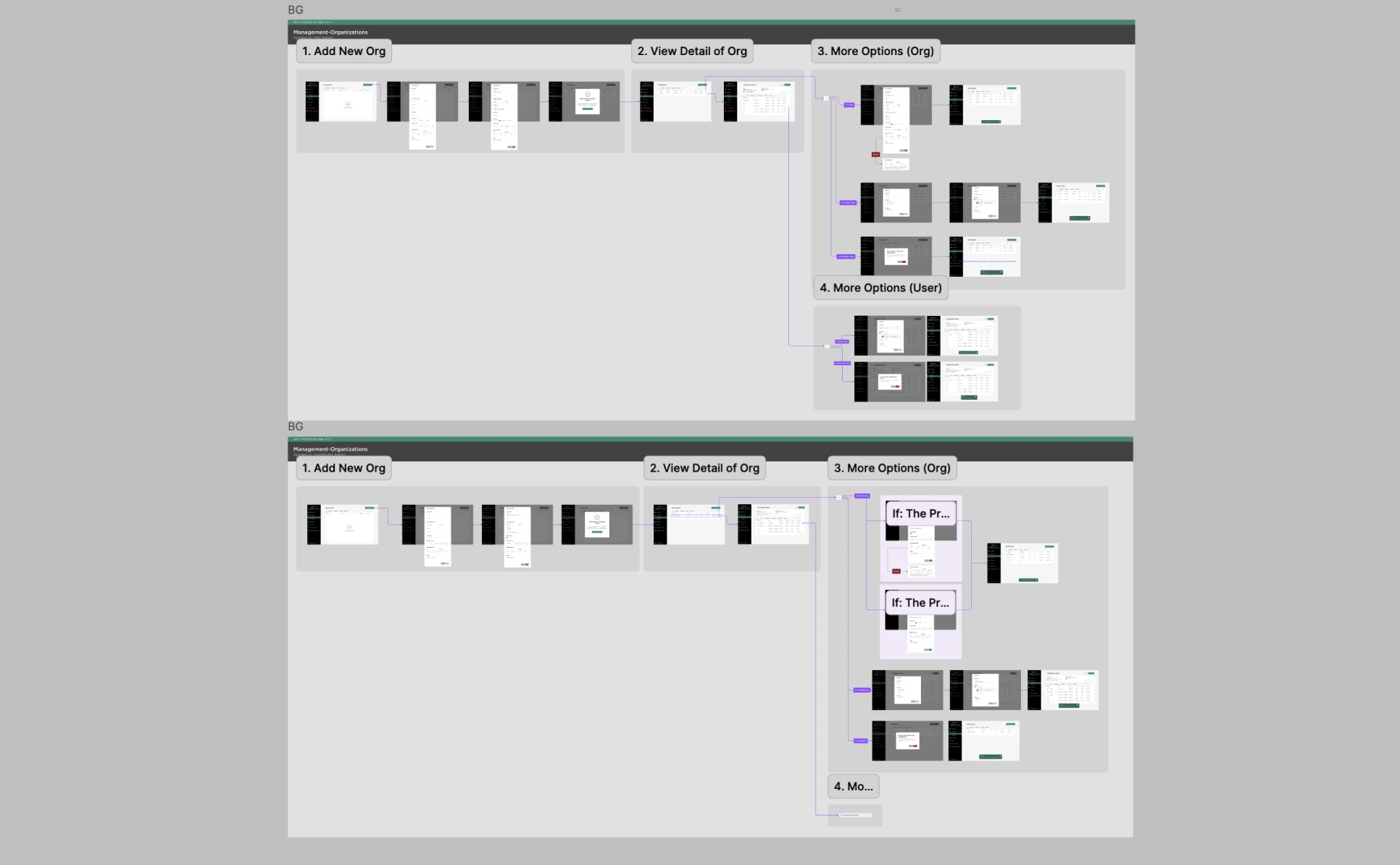
Mapped role-based navigation and restructured dense flows into clearer, task-specific experiences
Component Library
Build from atoms to a scalable UI kit
Built bottom-up using atomic design. Every component covers its full range of states so developers have everything without back-and-forth.
System Architecture
Global vs. scoped structure for a scalable design system
Split into two layers: shared style variants in the MAI Portal UI Kit, and feature-specific content variants inside each product file.
Why this structure
Global updates stay consistent; local changes stay contained. A snackbar lives once in the UI Kit — User Management, Licensing, and VR Classroom each pull from it without duplicating the base.
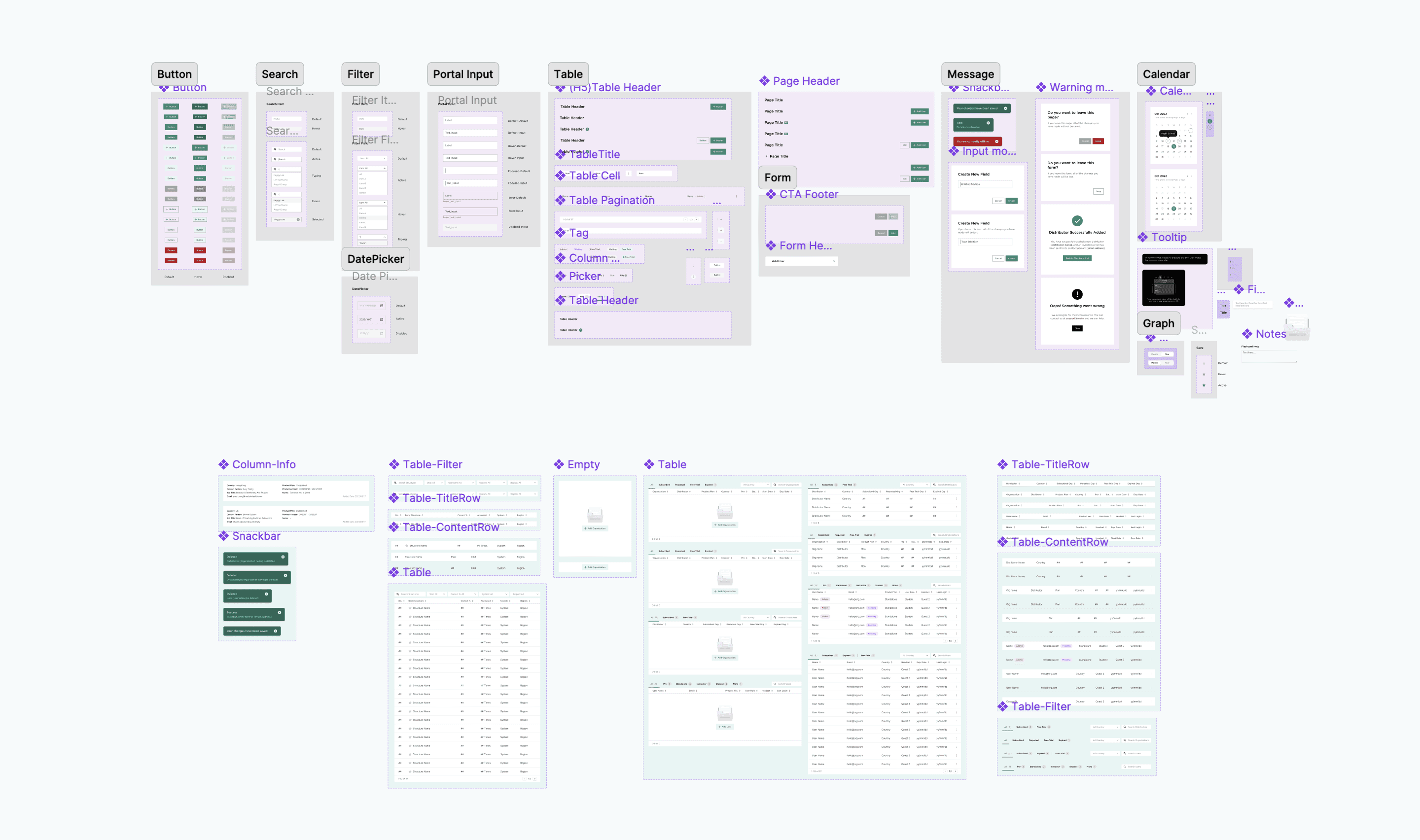
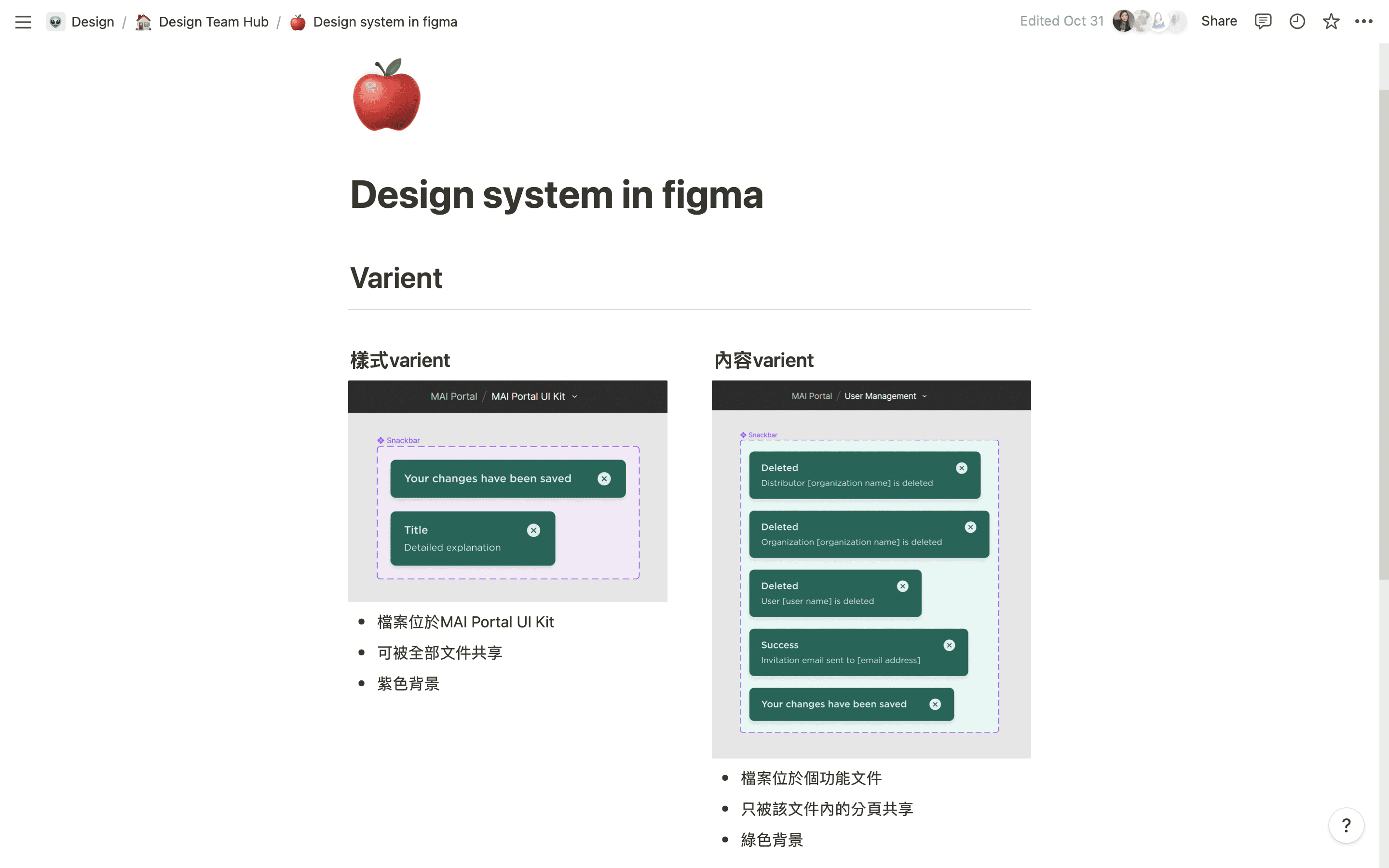
Built a scalable UI kit in Figma and organized components into shared style variants and feature-specific content variants